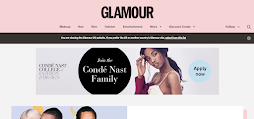
- A landing page is a single web page designed for a specific marketing or promotional campaign with the primary goal of encouraging visitors to take a particular action.
- Typically, this action could be signing up for a newsletter, downloading a resource, making a purchase, or filling out a contact form.
- Landing pages are distinct from regular website pages because they are highly focused and designed to convert visitors into leads or customers.
To make a landing page effective, we can do the following things:
- Clear and Compelling Headline: The headline is the first thing visitors see. It should clearly convey the purpose of the page and the value of the offer.
- Concise and Relevant Content: Keep the content on the page concise and directly related to the offer. Explain the benefits of the offer and why it's valuable to the visitor.
- Engaging Visuals: Use high-quality images and, if applicable, videos that enhance the visitor's understanding of the offer.
- Call to Action (CTA): Your landing page should have a prominent and compelling CTA button. Make it clear what action you want visitors to take, such as "Sign Up," "Download Now," or "Buy Now."
- Form Optimization: If your landing page includes a form, keep it as short as possible while collecting the necessary information.
- Loading Speed: Optimize your landing page for fast loading times. Slow-loading pages can lead to high bounce rates.
- Mobile-Friendly Design: Ensure your landing page is responsive and looks good on mobile devices, as many users browse on smartphones and tablets.
- Targeted Traffic: Drive traffic to your landing page through targeted advertising or marketing campaigns to ensure that visitors are genuinely interested in your offer.
- Clear Privacy and Security Information: If you're collecting personal data, make sure your visitors know their information is secure and specify how you'll use it.
- A/B Testing: Experiment with different elements on your landing page (e.g., headlines, images, CTA buttons) and run A/B tests to determine what works best for your audience.